Fighting click fraud is the active process of detecting, blocking, and recovering from invalid ad clicks before they drain your campaign budget. Unlike passive monitoring, a click fraud defense strategy combines platform-level configuration, dedicated detection software, and a documented recovery workflow — applied consistently across every channel where your ads run.
Awareness of click fraud is not the same as having a defense. Most advertisers know invalid clicks exist. Far fewer have a system for catching them before they spend, isolating their source, and recovering what's already been lost.
This playbook closes that gap. It is organized into six phases — diagnose, isolate, fortify, detect, recover, and defend — designed to be implemented in order, one phase building on the previous.
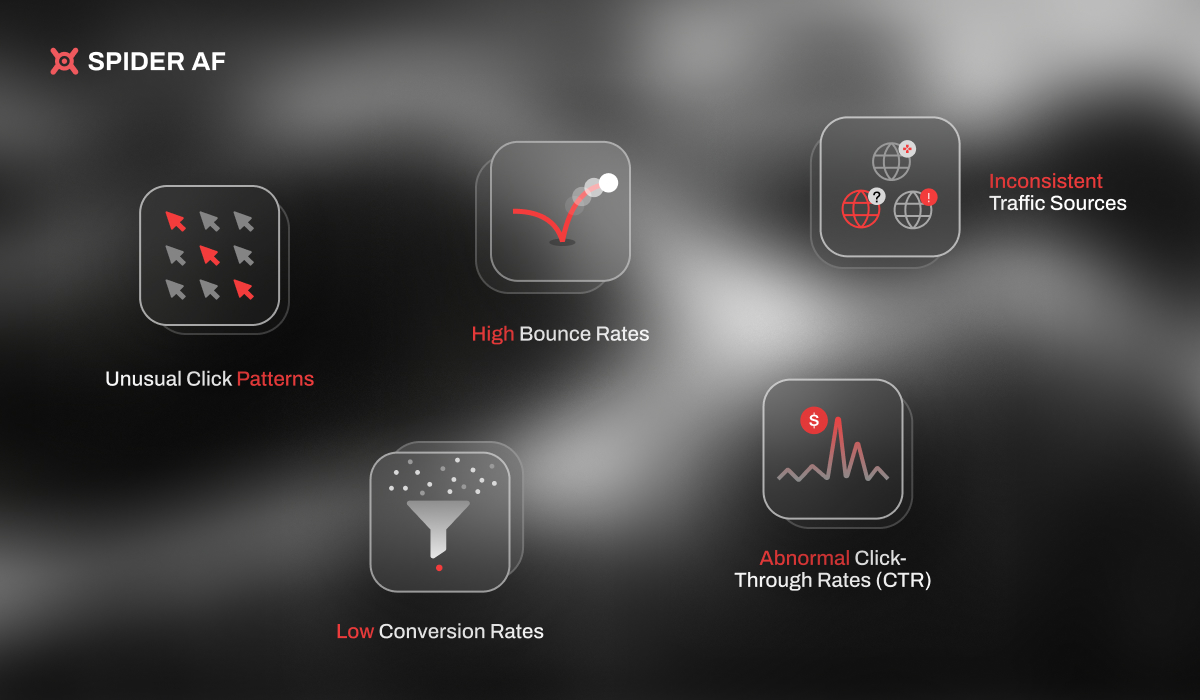
Before taking action, confirm that click fraud is actually affecting your campaigns. These five signals are the most reliable indicators:
1. CTR spike without a conversion lift. If click-through rate rises sharply — especially on specific campaigns or ad groups — but conversions remain flat or drop, invalid clicks are the most probable cause. Legitimate demand increases produce both more clicks and more conversions.
2. Abnormally short sessions. Pull your Google Analytics session duration data filtered to paid traffic. Sessions under 10 seconds at scale, particularly from specific source/medium combinations, indicate bot traffic that lands and immediately exits. Real users, even disinterested ones, spend more time than bots.
3. IP and device clustering. Export your click data (available via Google Ads reports or your analytics platform) and look for repeated IP addresses or device IDs across clicks. Legitimate ad traffic is distributed; fraud often concentrates.
4. Geographic anomalies. Traffic from regions you don't target, or sudden volume spikes from specific cities with no corresponding business context, are a structural signal of invalid traffic.
5. Off-hours traffic spikes. Your audience has a schedule. Click spikes that occur consistently outside your audience's working hours — late nights, weekends in geographies you don't serve — often indicate automated click operations running continuously.
In June 2026, Google formally introduced the Invalid Activity Credit Report — the first campaign-level breakdown of invalid-click credits applied to your account. To access it:
If you see credits being applied to specific campaigns, that confirms Google has detected some level of invalid activity. Note that this report only reflects what Google's automated systems caught — sophisticated invalid traffic (SIVT) designed to mimic human behavior will not appear here, because it bypassed detection.
Once you've confirmed click fraud is occurring, narrow down where it's coming from before making campaign changes. Broad exclusions applied without source analysis can accidentally cut legitimate traffic.
By campaign type. Display, YouTube, and programmatic placements carry significantly higher fraud rates than branded search. If your diagnosis shows fraud, start by auditing these campaign types first. Search campaigns targeting your own brand terms typically have the lowest fraud exposure.
By network. In Google Ads, check whether Search Partners is enabled. Search Partners expand your reach beyond Google Search to third-party sites — a category with higher fraud rates and less transparency. Run a campaign-level report segmented by network and compare CTR and conversion rates between "Google search" and "Search partners."
By placement. For Display and YouTube campaigns, pull the Placement report (Where Ads Showed). Sort by clicks and review the top domains. Look for unfamiliar sites with high click volume and zero conversions — these are your highest-priority exclusion targets. As of August 2025, Google provides full placement reports for Search Partner impressions, giving you visibility you didn't have previously.
By geography and time. Segment click data by country, region, and hour of day. Cross-reference against your customer data — if you sell exclusively in the UK and 30% of clicks originate from Southeast Asia, the source is clear. Time-of-day segmentation often reveals automated click windows.
Apply these controls immediately after completing your source analysis. These are the platform-native tools available without third-party software.
IP exclusions. Navigate to Campaign Settings → IP Exclusions and add fraudulent IP addresses or ranges identified in your diagnostic. Google allows up to 500 IP exclusions per campaign. Prioritize the highest-volume fraud IPs identified in Phase 2. Note: rotating residential proxies used by sophisticated fraud operations change IPs constantly — IP exclusions are a first layer, not a complete solution.
Disable Search Partners (if fraud is confirmed there). Go to Campaign Settings → Networks and uncheck "Include Google search partners." This is a meaningful risk reduction for campaigns where Search Partner fraud is confirmed. Monitor performance for 14 days after disabling — if conversions improve or hold steady, keep it disabled.
Placement exclusions. In Display and YouTube campaigns, add the fraudulent domains identified in your Placement report to your campaign-level or account-level exclusion lists. Build a master exclusion list at the account level so it applies across all campaigns automatically.
Tighten geo and audience targeting. Apply strict geographic targeting to your highest-spend campaigns. If you target the UK only, set "People in or regularly in target location" (not "People who show interest in target location") to reduce exposure to proxy-equipped fraud operations.
Adjust ad scheduling. If your diagnostic identified off-hours click spikes, reduce bids or pause ads during those periods. This doesn't eliminate fraud but reduces your budget exposure during the highest-risk windows.
Audience Network settings. If your Meta campaigns use Audience Network placements, review placement-level performance. Meta allows you to exclude specific publisher apps and websites from your Audience Network delivery via the Block Lists settings in Business Manager.
Audience quality controls. Use Custom Audiences built from your known customer data to anchor targeting. Layering Lookalike Audiences on top of verified customer lists significantly reduces exposure to bot-heavy inventory compared to broad interest targeting.
Landing page event validation. Implement Meta's Conversion API alongside the Pixel. Server-side events are harder for bots to spoof than browser-side Pixel events, improving the signal quality Meta's optimization algorithm uses — and reducing budget optimized toward fraudulent traffic sources.
Platform-level controls catch a portion of invalid traffic — specifically General Invalid Traffic (GIVT): simple bots, crawlers, and data center traffic that platforms filter automatically. What they consistently miss is Sophisticated Invalid Traffic (SIVT): AI-powered bots that replicate realistic human behavior — scroll depth, mouse movement, session timing, and device fingerprinting — designed specifically to bypass platform detection.

A dedicated fraud detection platform operates outside the platforms, with access to cross-network behavioral signals that Google and Meta cannot see. The table below shows what each protection layer catches:
When evaluating a dedicated fraud detection platform, look for:
You won't recover all of it. But a documented, methodical recovery process — submitted within the required windows — can recoup a meaningful portion of wasted spend.
Google issues ad credits for confirmed invalid activity, not cash refunds. The process:
Third-party fraud detection documentation submitted alongside your Google claim materially improves resolution outcomes — platform-level reports carry less weight than forensic evidence from an independent detection tool.
Meta does not have a Click Quality Form equivalent. The process is less structured:
Given the difficulty of Meta recovery, the higher leverage action on Meta is preventing fraud at the campaign level (Phase 3) and deploying a detection layer (Phase 4) rather than relying on post-spend recovery.
Click fraud is not a one-time problem to solve — it's an ongoing pressure that intensifies as your ad spend grows. Build these habits into your standard monthly operating rhythm:
.jpg)
Monthly monitoring checklist:
Key metrics to track over time:
When to escalate. If your monthly monitoring shows fraud volume consistently above 10% of total clicks, or if your CPA is rising despite strong creative and targeting, move to a dedicated ad fraud protection platform immediately. At this scale, manual controls are insufficient — the economics of fraud outrun manual response time.

The most effective defense combines three layers: platform-level controls such as IP exclusions, geo-targeting, and placement exclusions; dedicated real-time fraud detection software; and a documented recovery process for credits and clawbacks. No single layer is sufficient because platform tools can miss sophisticated bots, while dedicated tools cannot recover spend that was already wasted before they were deployed.
Pull Google's Invalid Activity Credit Report for a campaign-level view of credited invalid clicks. Cross-reference that with analytics data: look for CTR spikes without conversion lifts, sessions under 10 seconds, repeated IP addresses or device IDs, and traffic outside your audience's normal hours. Geographic clustering from unexpected regions is another reliable signal.
Google typically handles confirmed invalid activity through ad credits rather than cash refunds. Advertisers need clear evidence, including timestamps, click spikes, IP or device patterns, short-session traffic, and any third-party detection reports. A dedicated fraud detection tool helps identify sophisticated invalid traffic before it spends more of your budget.
SIVT, or Sophisticated Invalid Traffic, refers to fraudulent clicks generated by bots or coordinated traffic sources that mimic realistic human behavior, including mouse movement, scroll depth, session timing, and device fingerprints. Because this traffic is designed to bypass platform-level detection, advertisers need independent traffic-quality monitoring that can analyze cross-channel behavior and suspicious patterns.
Spider AF monitors clicks in real time using device fingerprinting, IP intelligence, behavioral analysis, and click pattern recognition. When fraud is detected, Spider AF can help advertisers block suspicious sources and improve traffic-quality reporting before more budget is wasted. Spider AF case study data includes up to 90% reductions in fraudulent clicks and 228% ROAS improvements after invalid traffic was eliminated from campaigns.
Last updated: July 2026

Crecimiento de MFA, riesgos de fraude impulsados por IA y cómo los principales anunciantes protegen sus presupuestos. PDF gratuito.



.png)